Device Setup
Network
Topology
Typically, the edge devices we ship will have two dedicated network interface cards (NICs), which we call nic1 and nic2 in the following, and a wi-fi adapter wifi, see for example the Kumo IV by spo-comm:
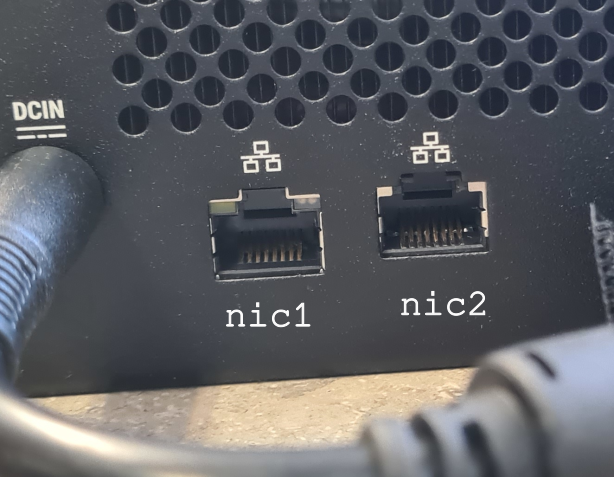
There are two main approaches to choose a suitable network topology, both with certain advantages and disadvantages:
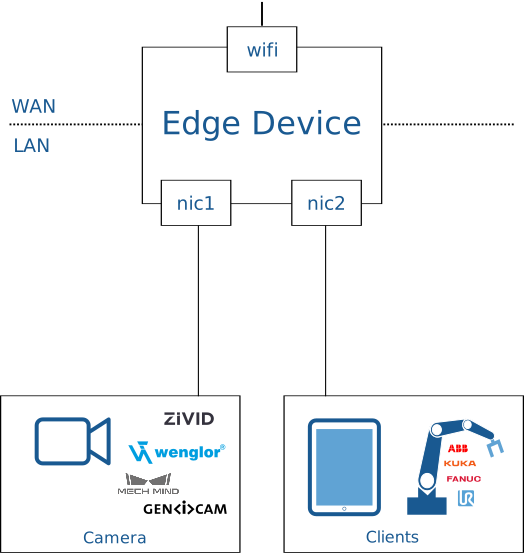
- Connect your camera with
nic1, the machine network withnic2, and connect the device to the internet gateway via wi-fi . This optimizes the transfer rates between edge device and camera and thus reduces the overall time needed for image acquisition. While it is convenient to get the edge device online without having to extend the wired network all the way to the machine, the wireless connection viawifimay experience bandwidth limits or even temporary outages. - Connect the machine network with
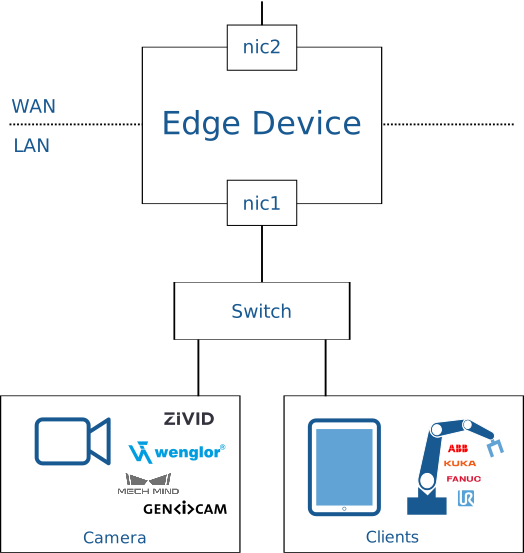
nic1and the internet gateway withnic2. While this maximizes the bandwidth and availability of the internet connection, it requires a gigabit router connecting the camera and other clients in the machine network all to one NIC on the edge device.
Since synchronization of the edge device with our cloud services happens asynchronously, option 1 remains the preferred network topology.
Configuration
Windows
Navigate to Control Panel → Network and Internet → Network Connections:
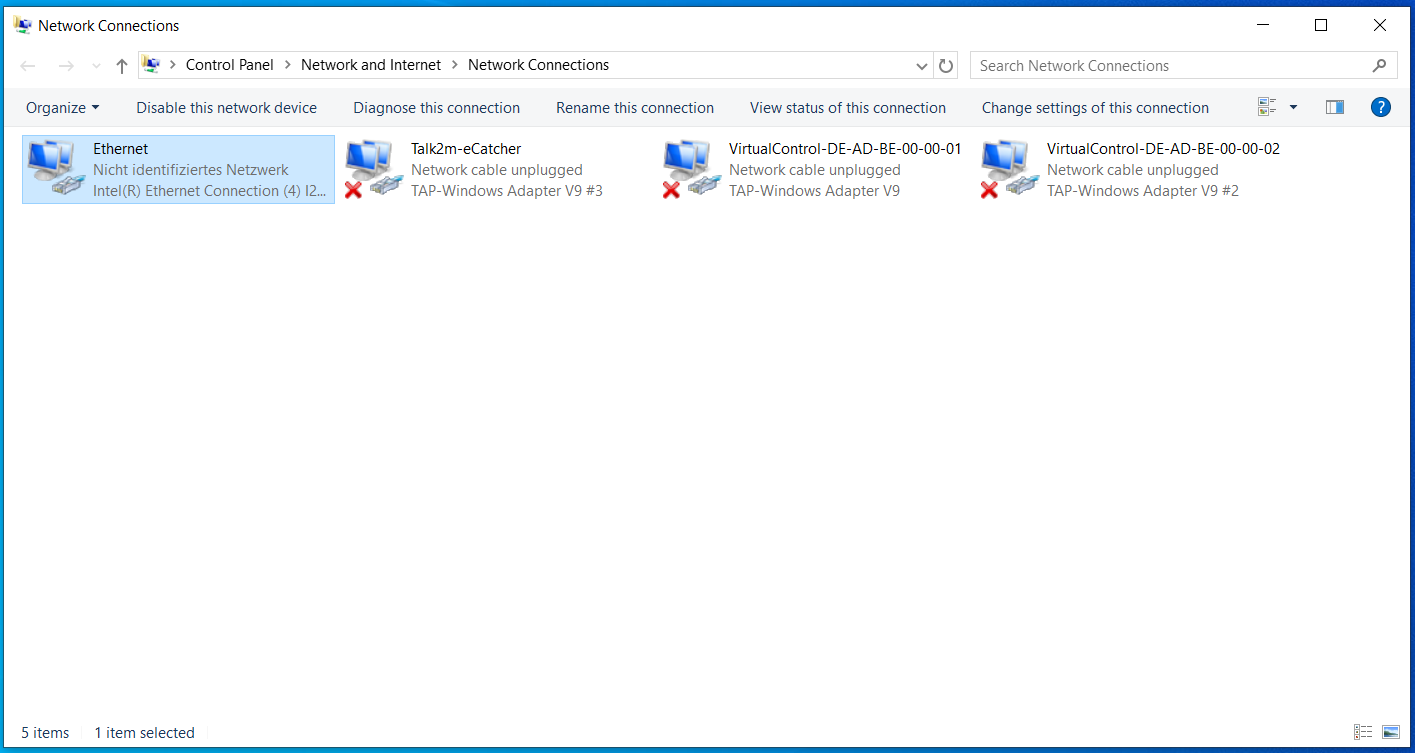
Double-click on the name of the NIC to which the edge device will be connected. Click on Properties:
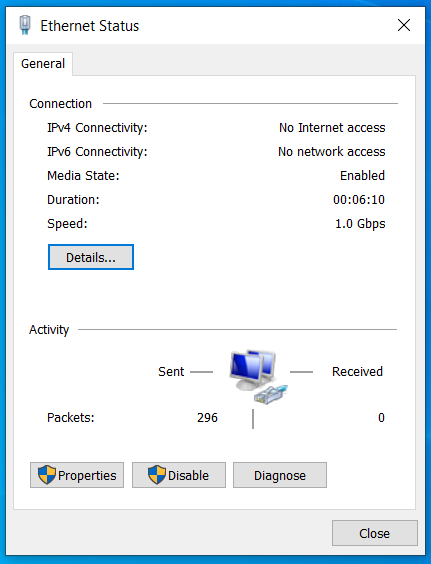
In the list of connection properties in the middle of the dialog, select Internet Protocol, version 4 (TCP/IPv4) and hit Properties:
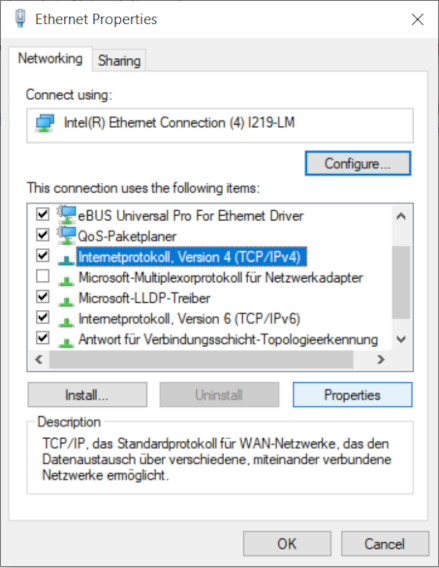
Make sure that automatic IP and DNS assigment is enabled:
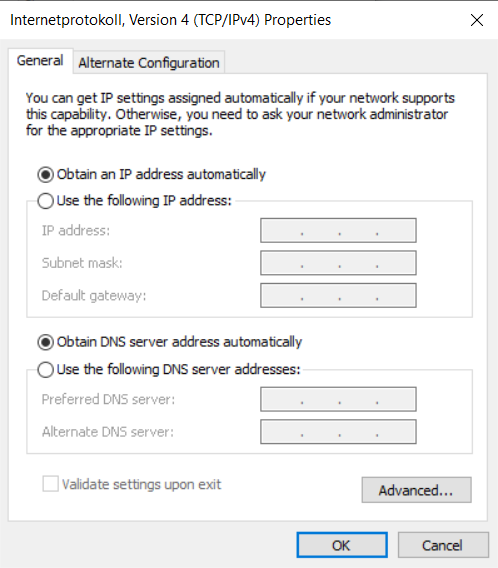
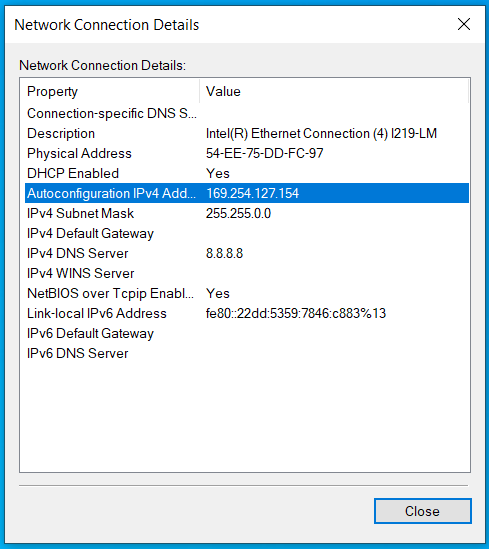
Now connect your PC with one of the NICs on the edge device. A so-called local link between your PC and the edge device has been established if your adapter has been assigned an IP in the range 169.254.0.0 through 169.254.255.255, which you can verify by clicking on Details on the main adapter page shown above:
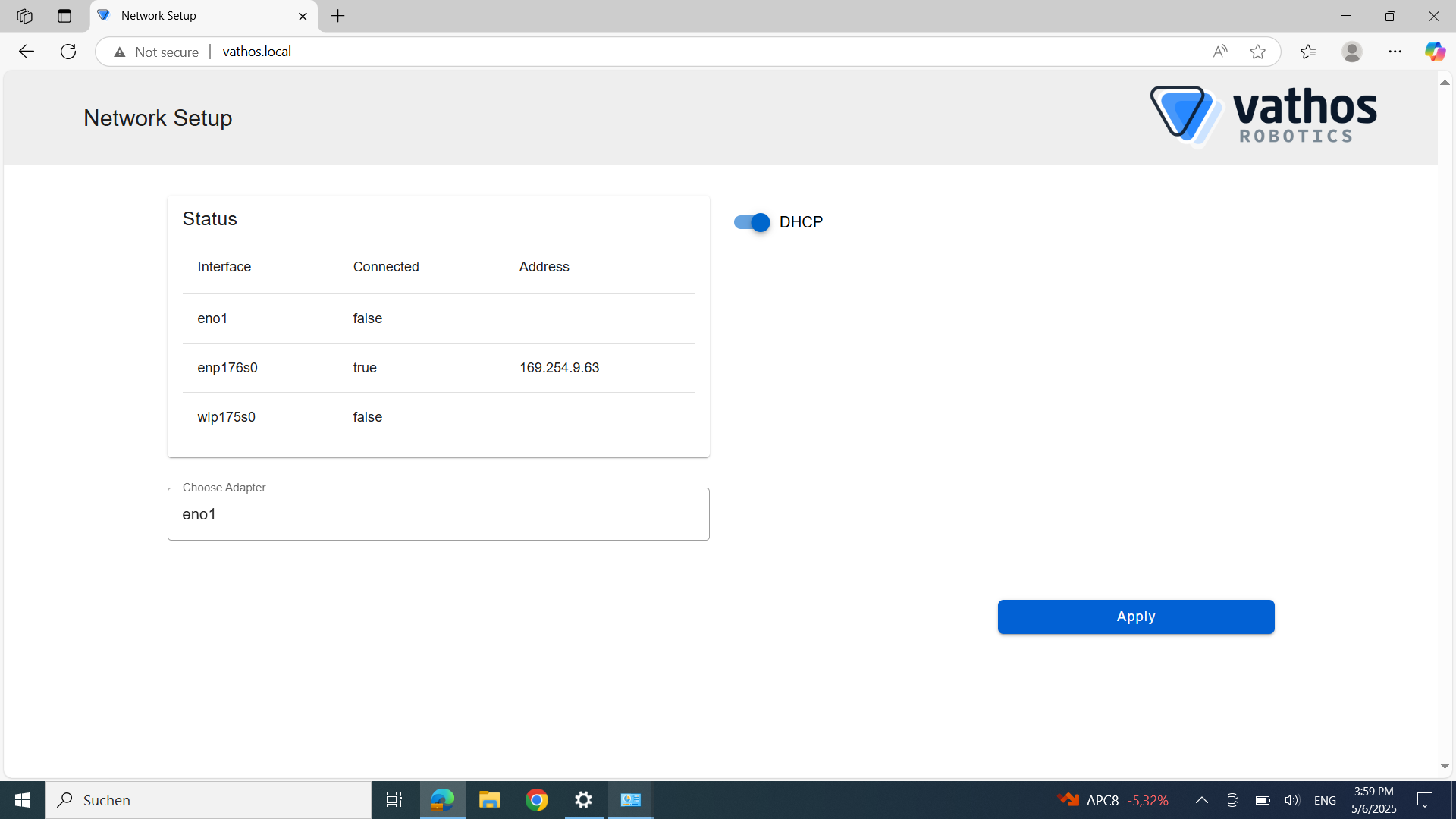
Finally, open the URL http://vathos.local in your browser and continue with the network setup of the edge device:
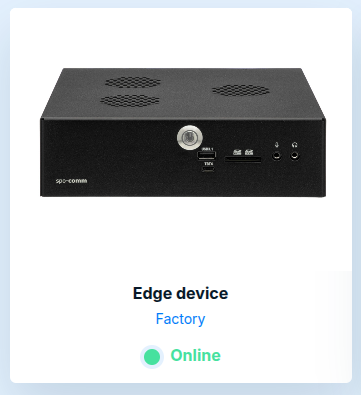
Once the device is able to connect to the internet, its status on the landing page of the Vathos frontend at https://www.vathos.vision will be shown as Online: