Mech-Eye 3D Cameras
Acquiring and Exporting Depth Maps
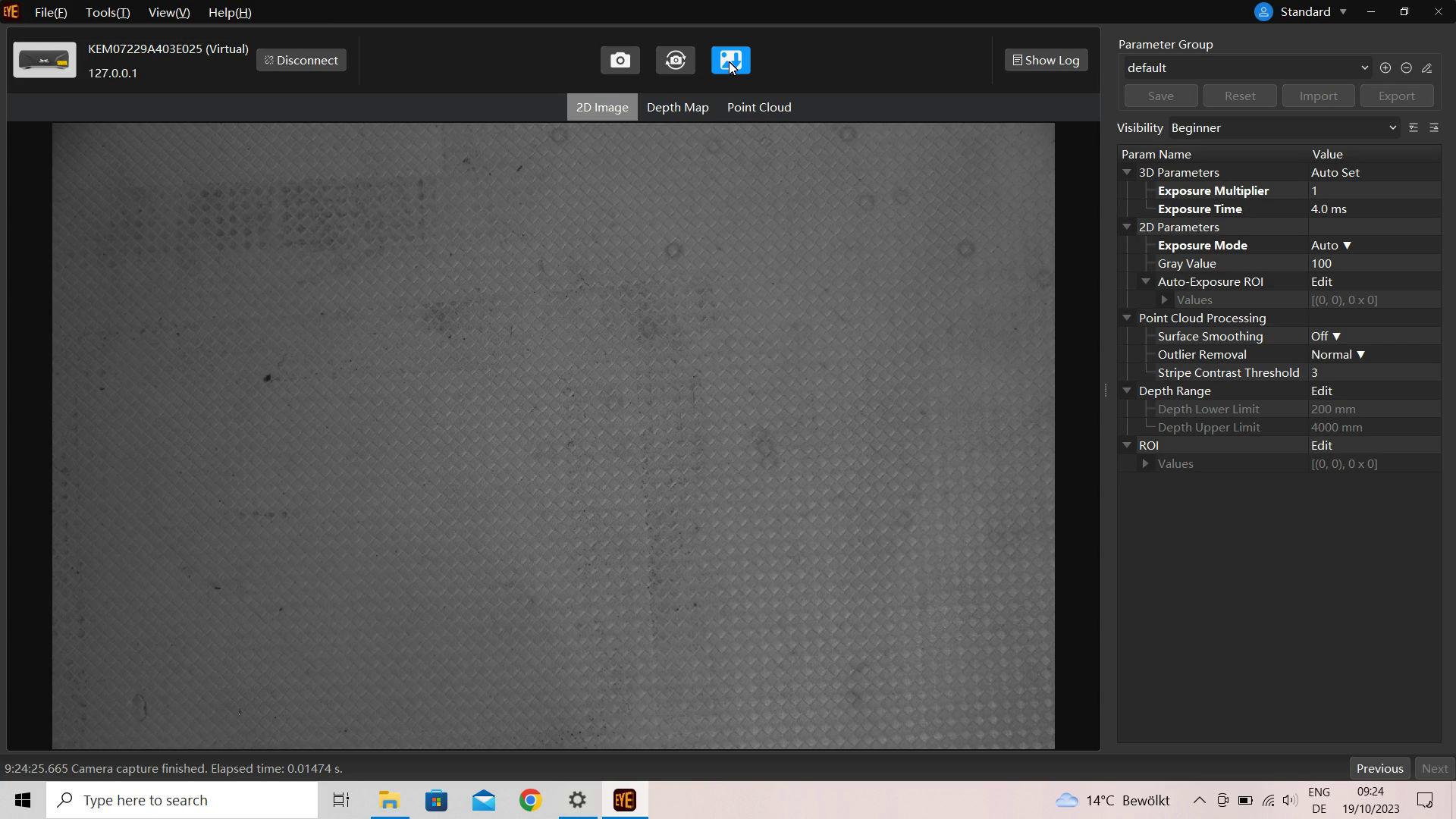
Download the Mech-Eye SDK and, after installation, start the Mech-Eye viewer. Make sure your camera is accessible through the local network from the PC used for image capture. Connect to the camera in Mech-Eye viewer. Click on the camera icon in the upper part of the main screen to record an image. Then click on the download icon:
In the dialog that appears, check the box next to Depth Map and make sure the selected format for export is png:
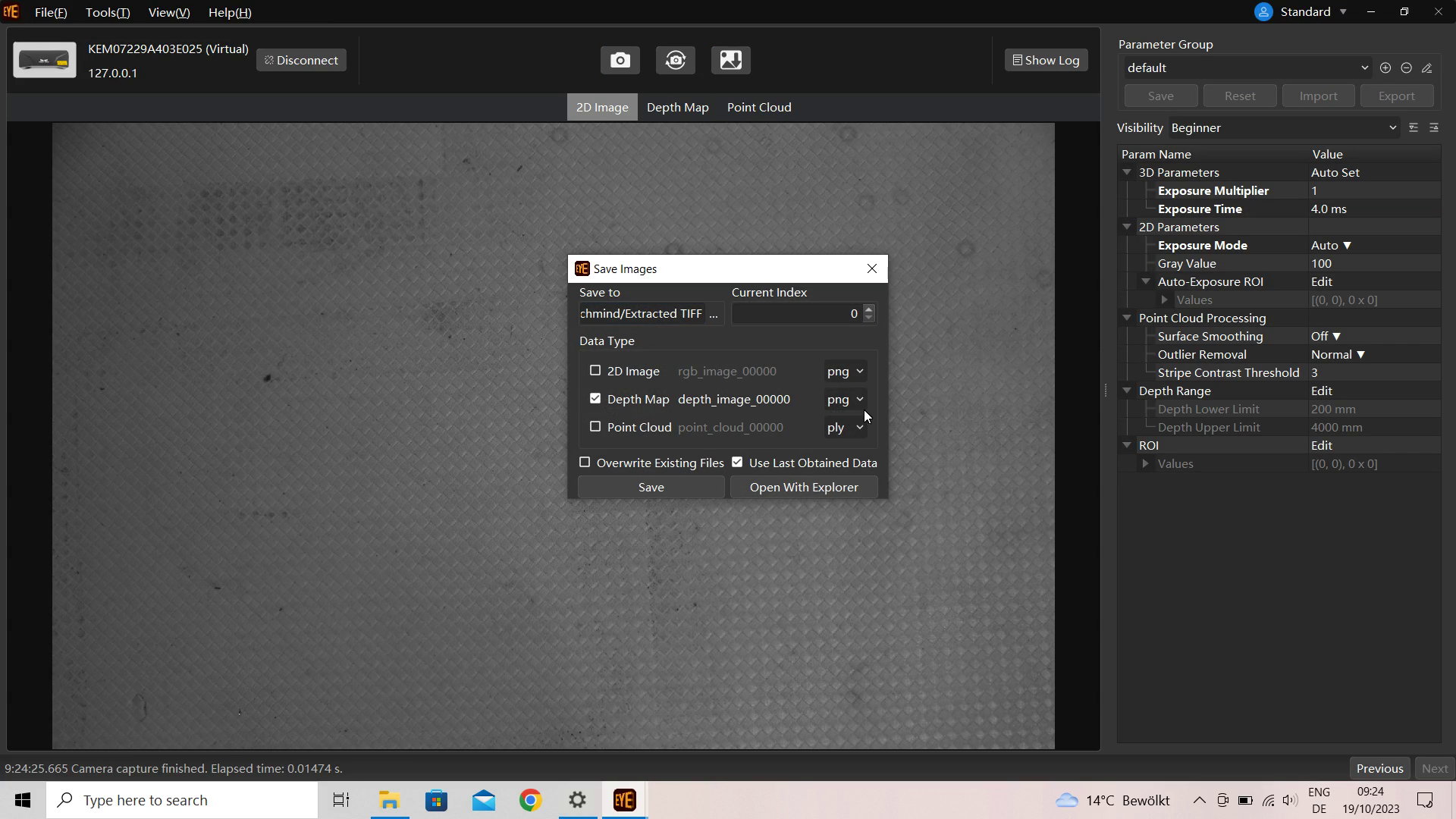
Click on Save to write the image to disk.
Image Capture on the Edge
Installation of the Connector Service
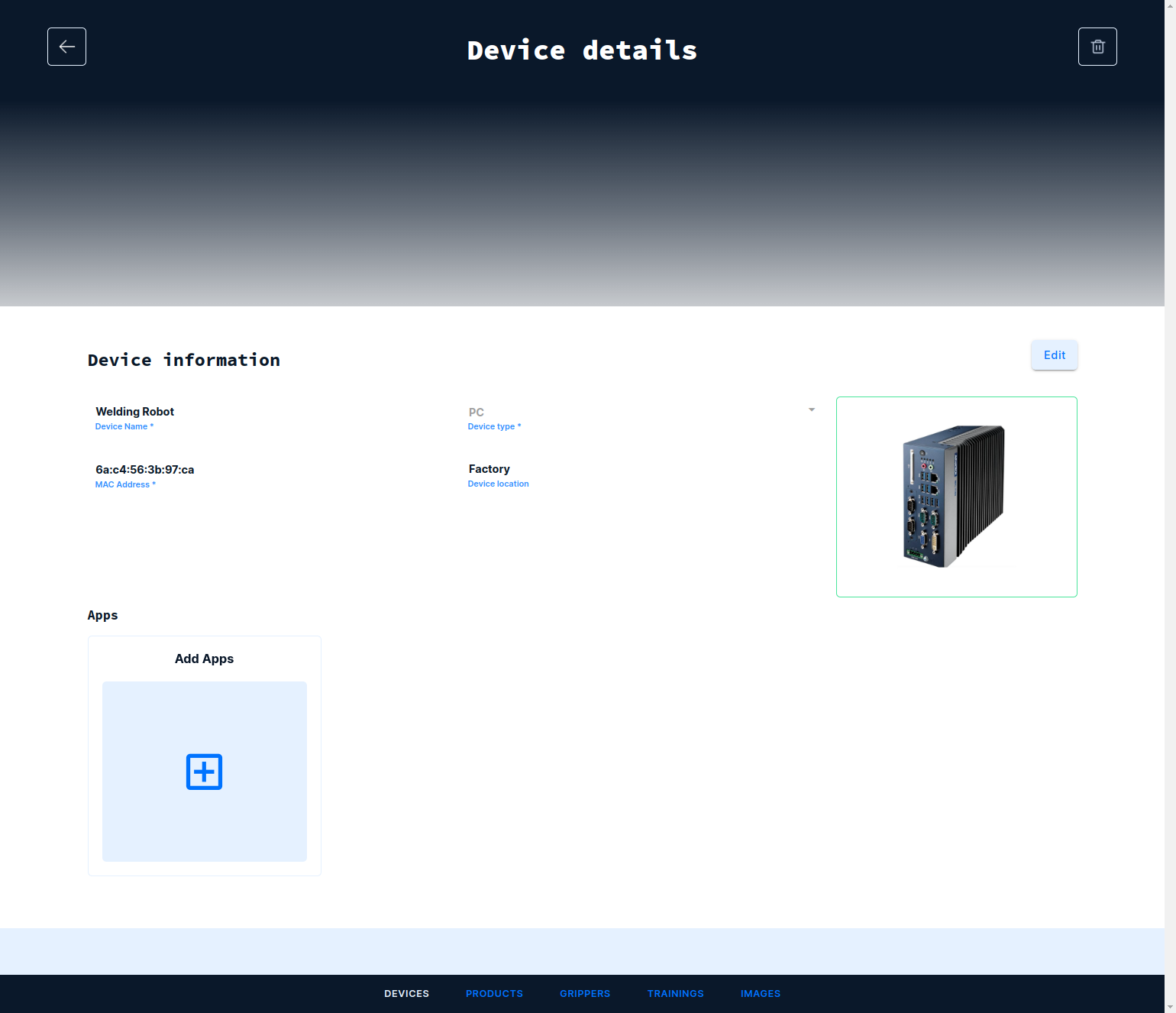
Navigate to the Devices tab and open the device to which the camera is connected. Under Apps click on the card with the title Add Apps:
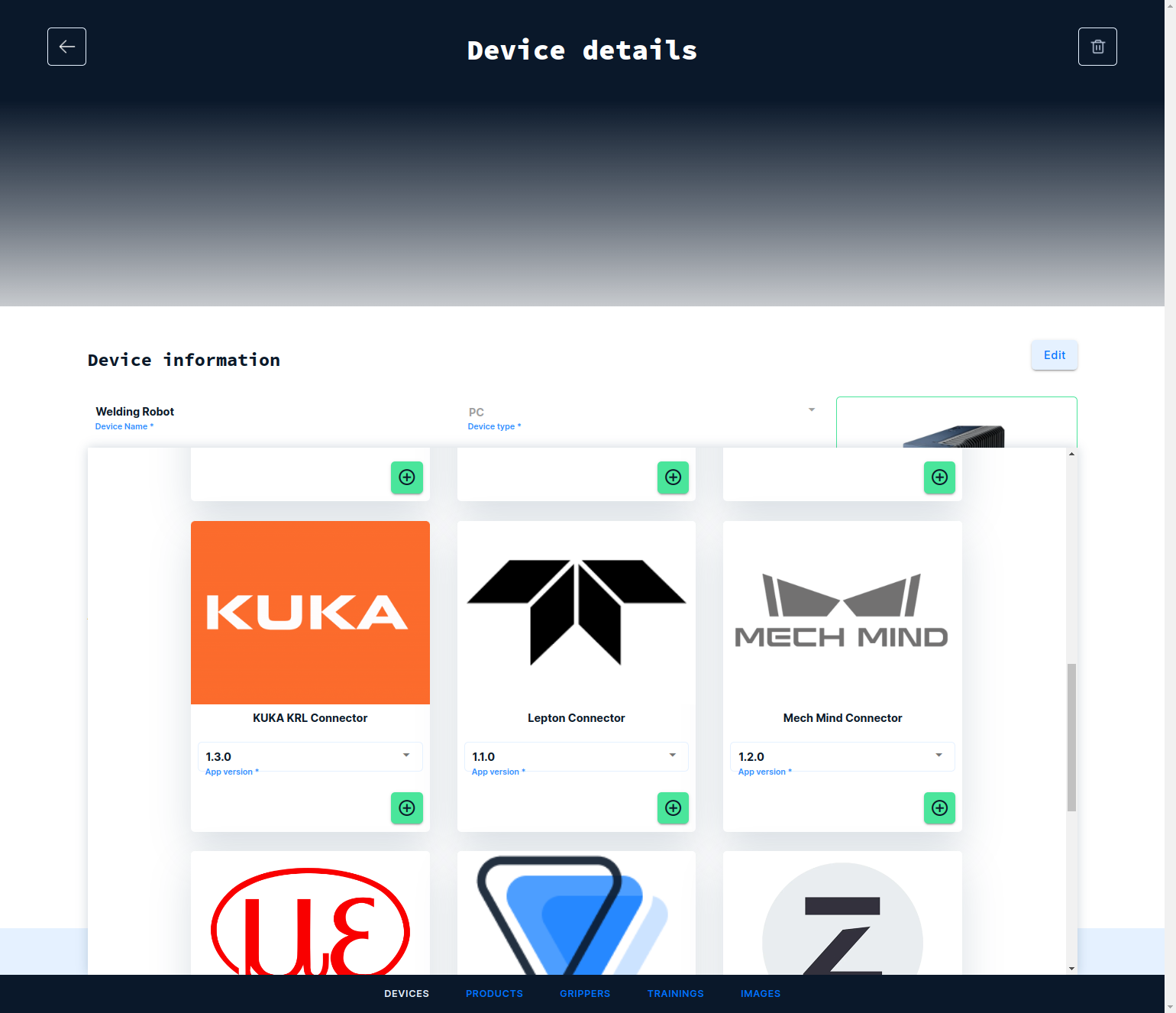
From the catalog of app, select the Mech-Mind Connector by clicking on the plus icon and next the save icon on top of the screen:
Tested with:
- PRO S