Ensenso 3D Cameras
Acquiring and Exporting Depth Maps
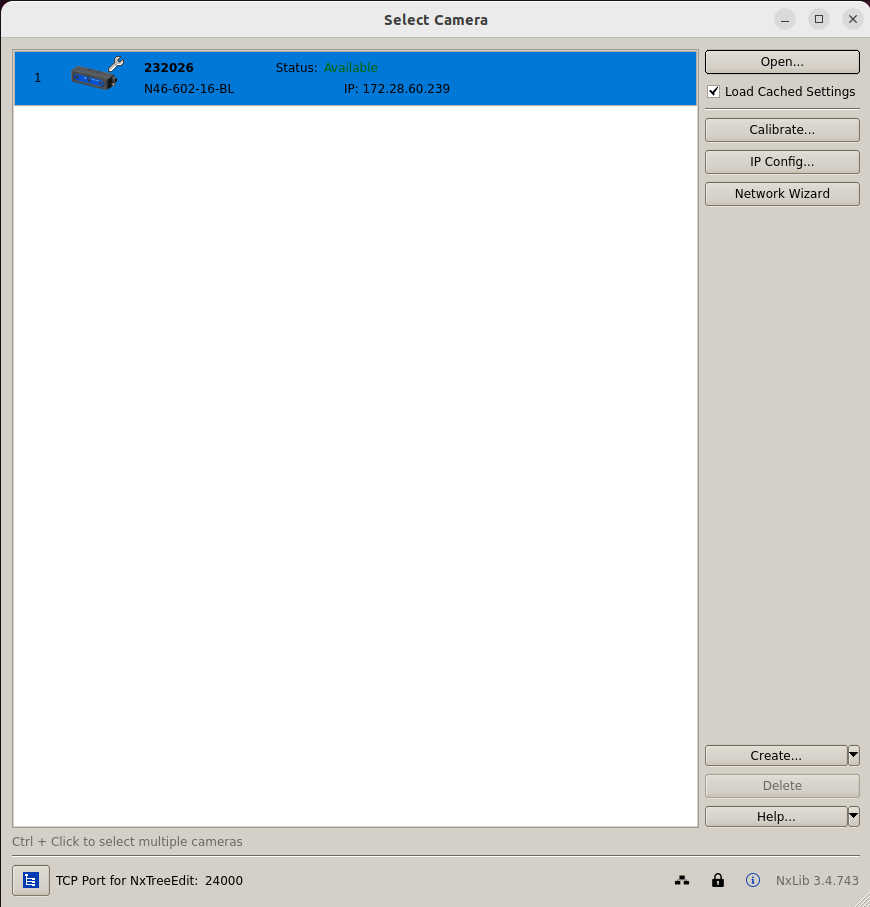
Install the Ensenso SDK which is available for download here. Make sure your camera is accessible through the local network from the PC used for image capture. Start nxView and click the button Connect to open the live image viewer:
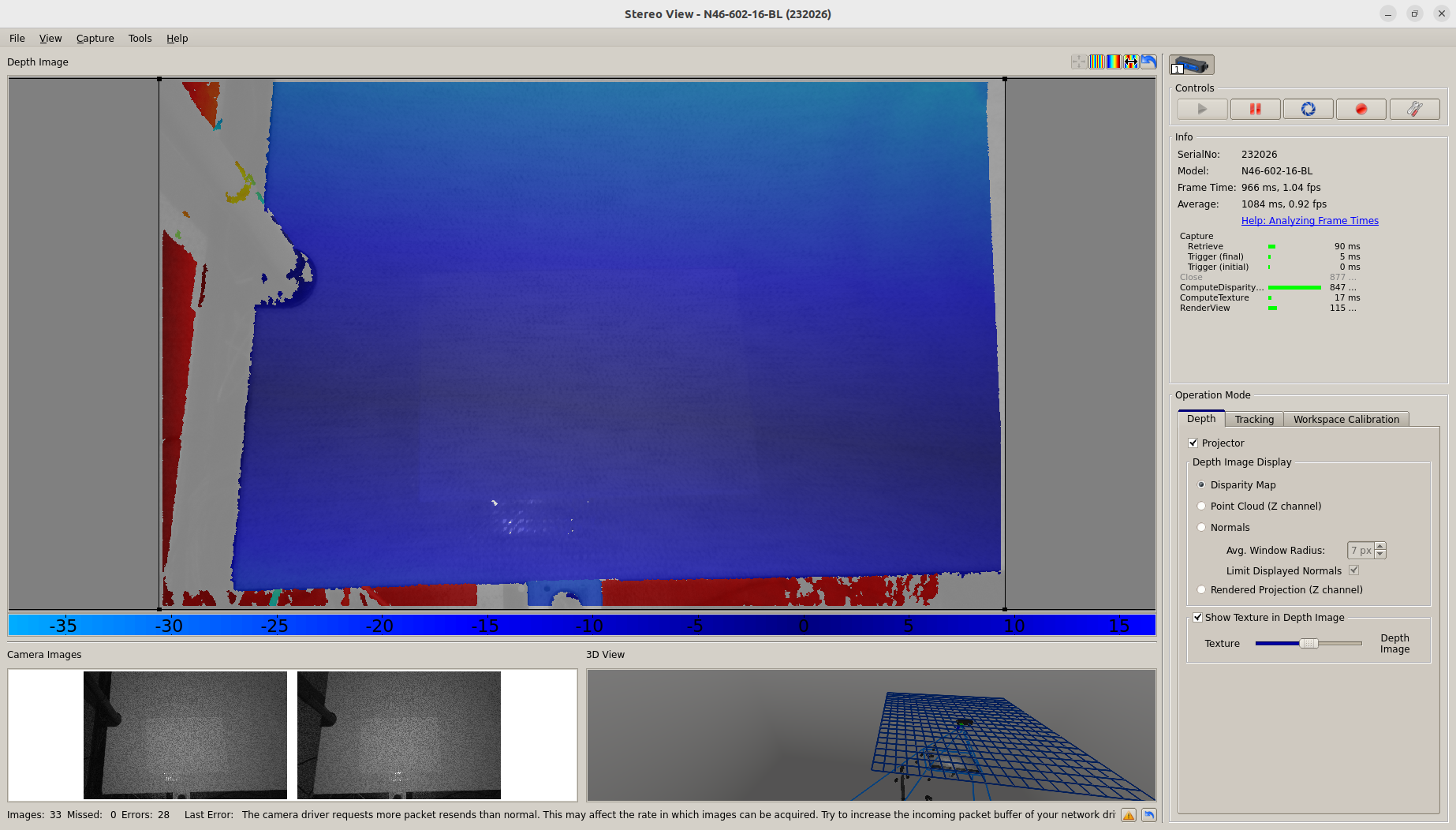
Record images by clicking on the shutter icon in the top-right menu:
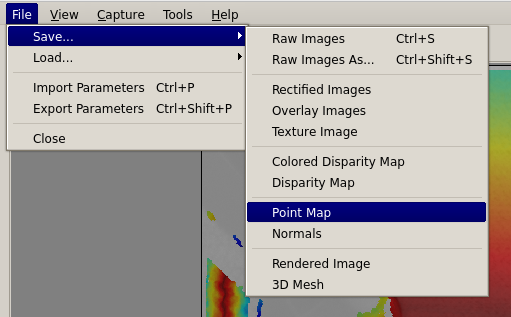
To export the image to disk, click File → Save… → Pointmap:
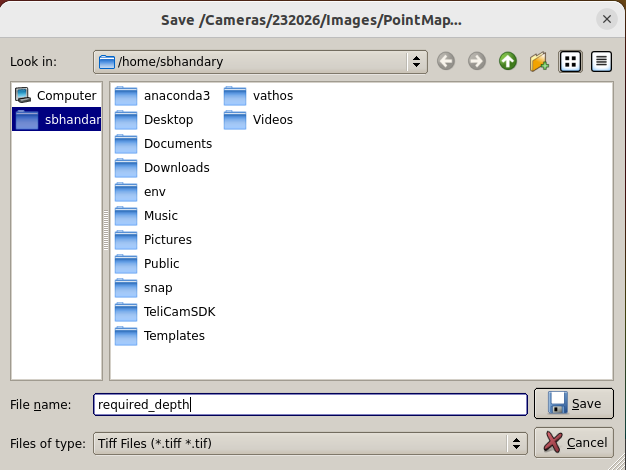
Make sure to select Tiff as the file type so that the image is fit for upload and processing through the Vathos API:
Above process is also shown in our video tutorial on cloud inference available on YouTube.
Image Capture on the Edge
Installation of the Connector Service
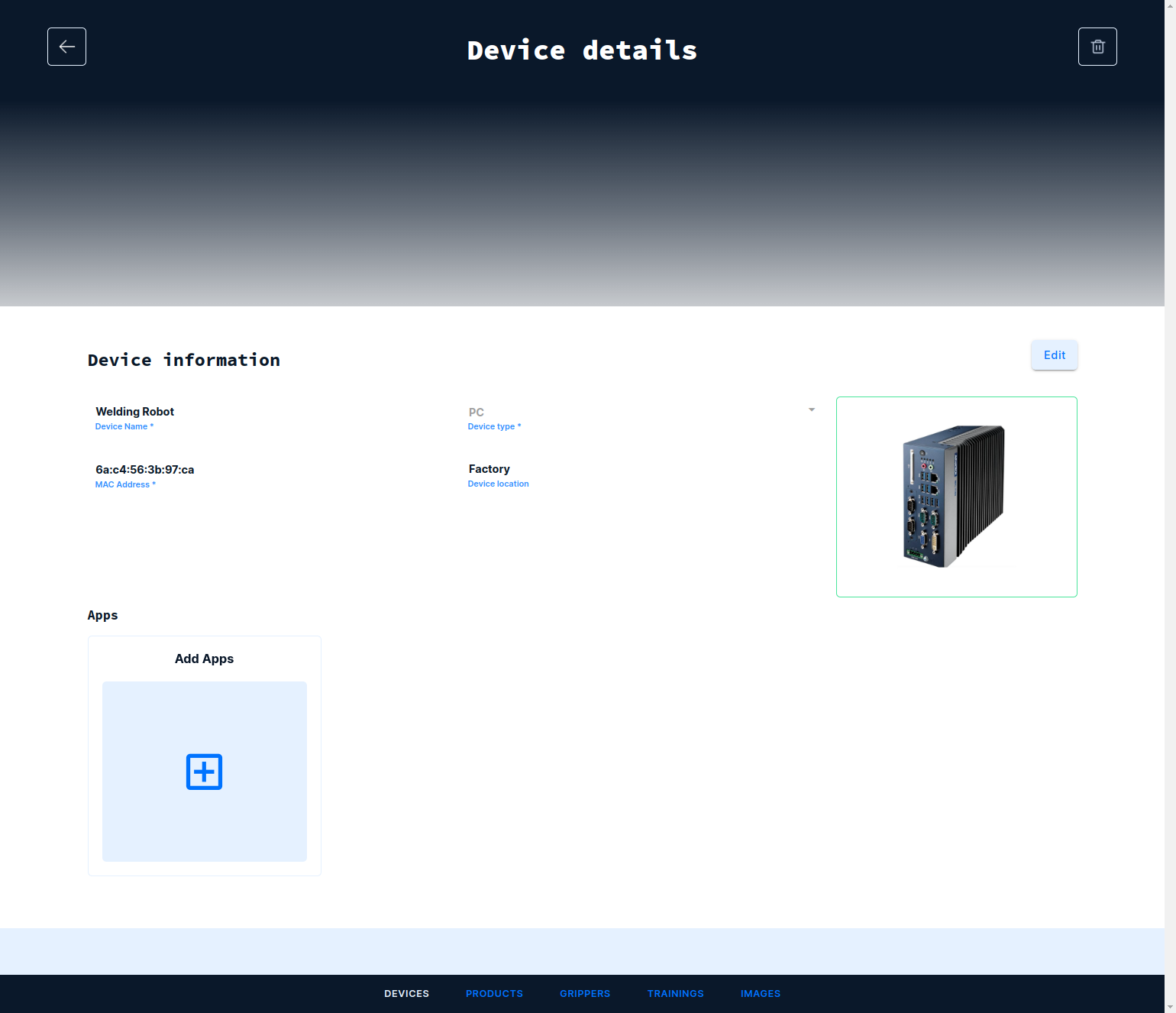
Navigate to the Devices tab and open the device to which the camera is connected. Under Apps click on the card with the title Add Apps:
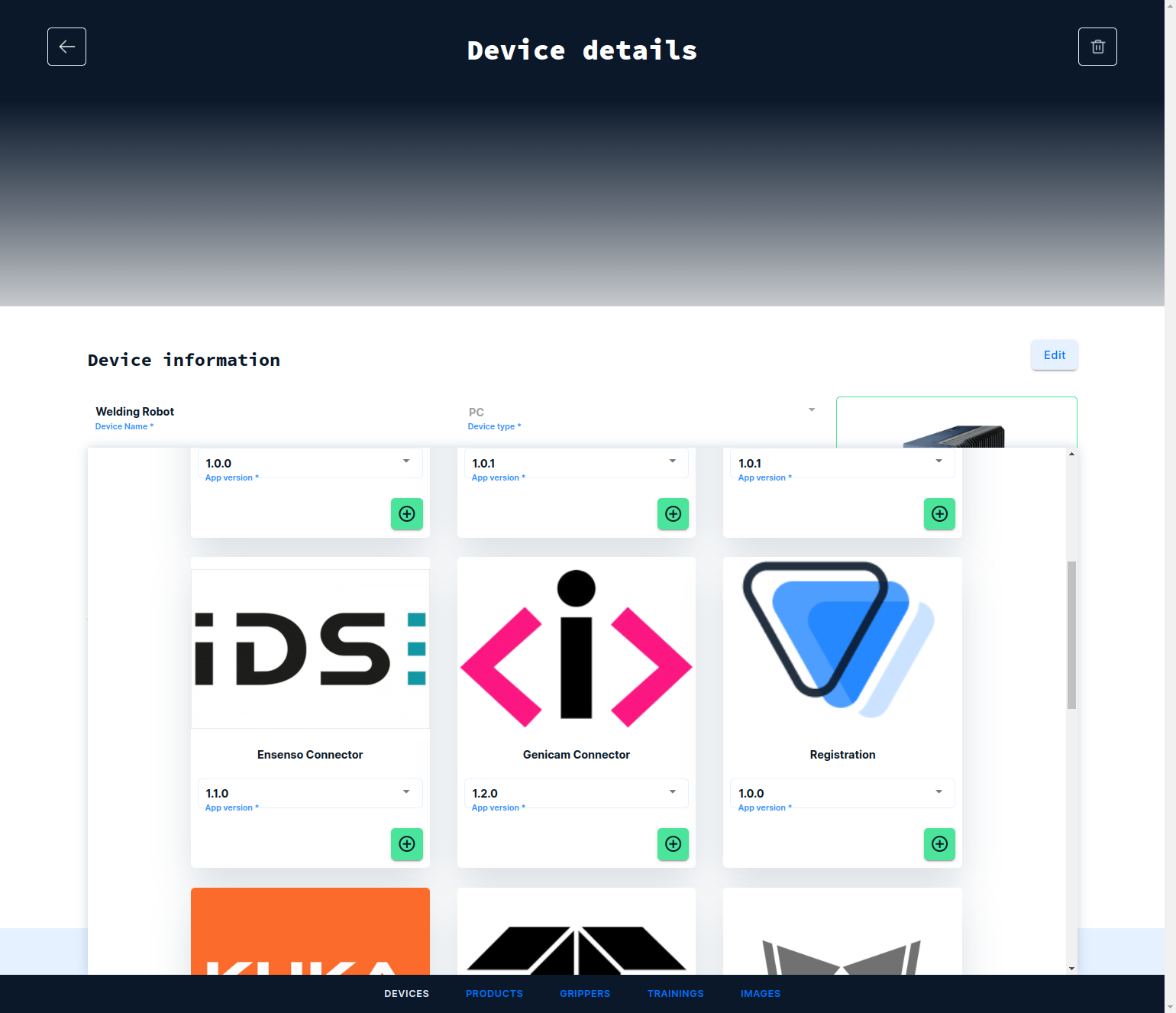
From the catalog of app, select the Ensenso Connector by clicking on the plus icon and next the save icon on top of the screen:
Tested with:
- N3X
- N4X