Universal Robots
Setup
Initializing the Client
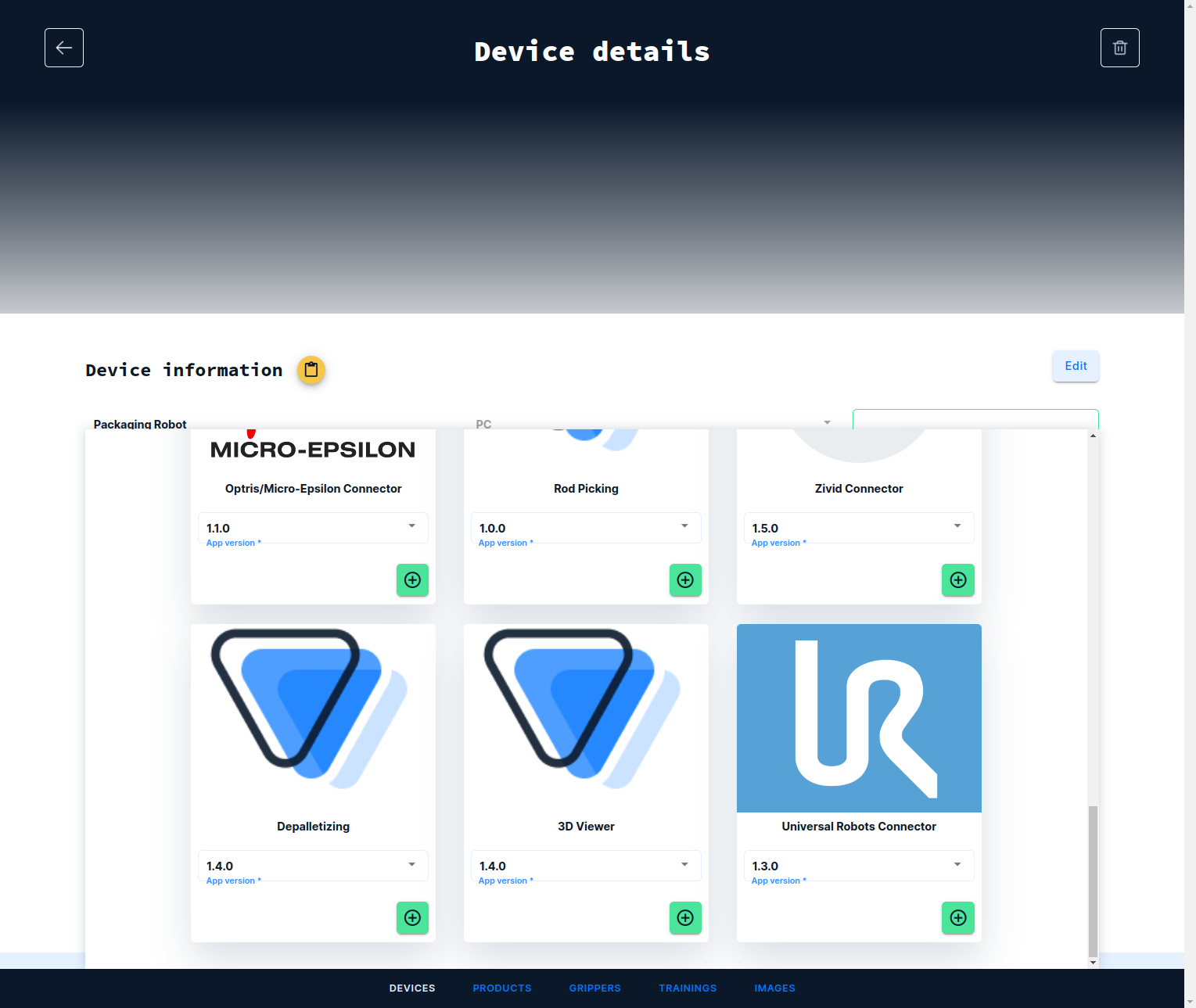
Log into the frontend at https://www.vathos.vision, navigate to the device page, and make sure the UR Connector app is installed on the device designated for communication with this robot:
Controllers sold by Universal Robots have native support for the XML-RPC protocol. There is no additional work required for implementing a client or parser. Simply add a Script block the BeforeStart section of your robot program, and initialize the built-in client by calling the function rpc_factory as shown in the image below:
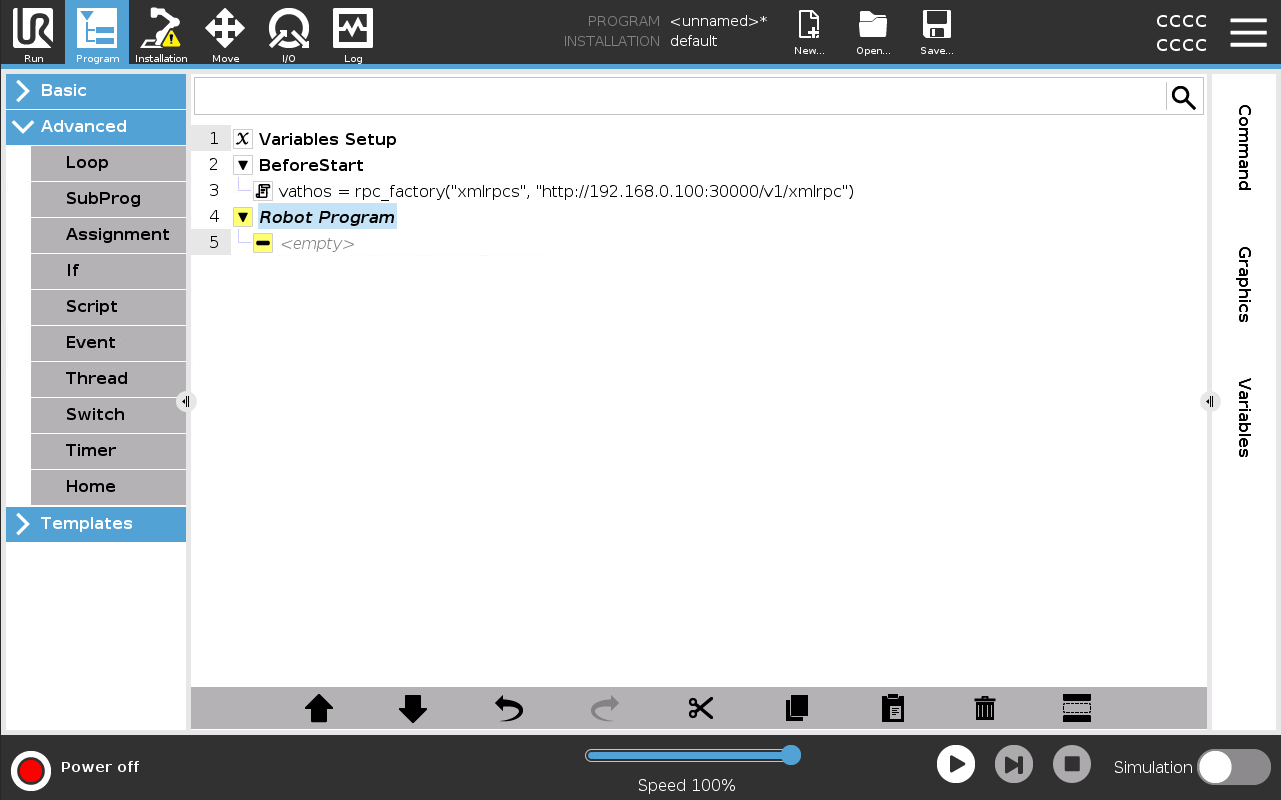
Make sure to replace the IP in above example with the one assigned to the edge device. Here the client is assigned to a variable vathos but any other name will do just fine as long as it is referenced correctly in the main body of the program. Any function from the edge API, can be called on the client object, e.g.,
vathos.trigger("rods", True)
will initiate the image capture and subsequent processing with the rod picking service.
Managing Hand-Eye Calibration Results
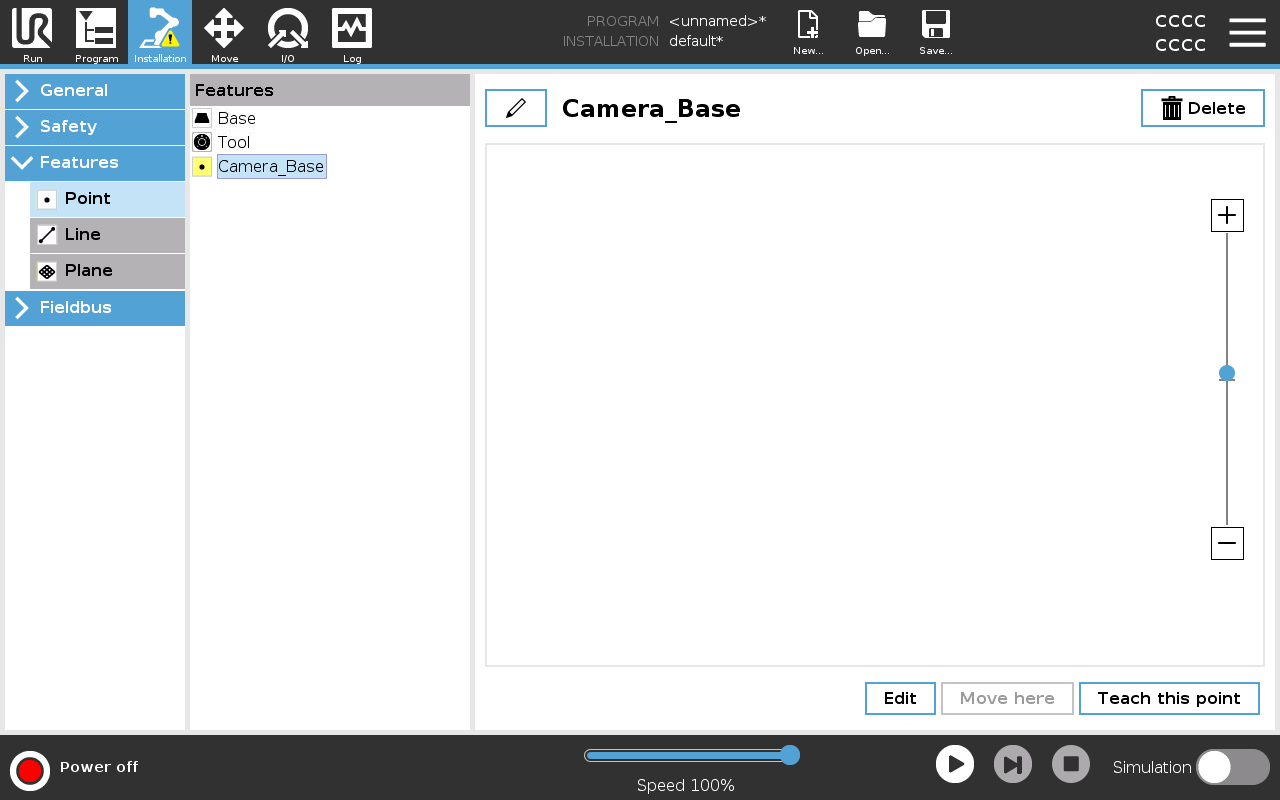
Since all object locations/orientations are returned from the vision system relative to the camera coordinate system, it is the responsibility of the robot programmer to transform those into whatever basis used for defining the robot’s picking motion. This transform is the result of hand-eye calibration. One needs to distinguish two cases: When the camera is static, navigate to Installation and then Features. Click on Point to add a new feature and enter a name for it by clicking on the pen icon at the top of the page:
Click on Edit at the bottom of the screen to enter the base data numerically:
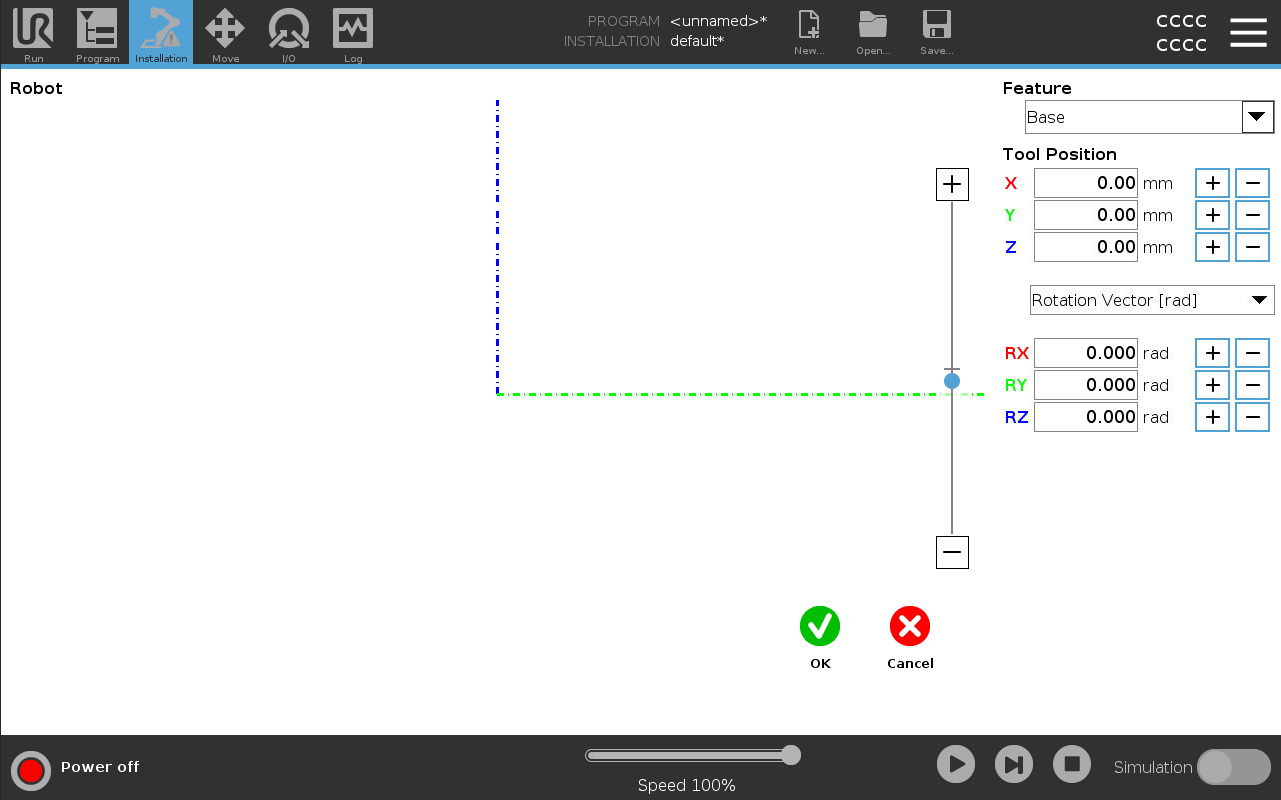
Make sure to convert to the units indicated next to the input fields.
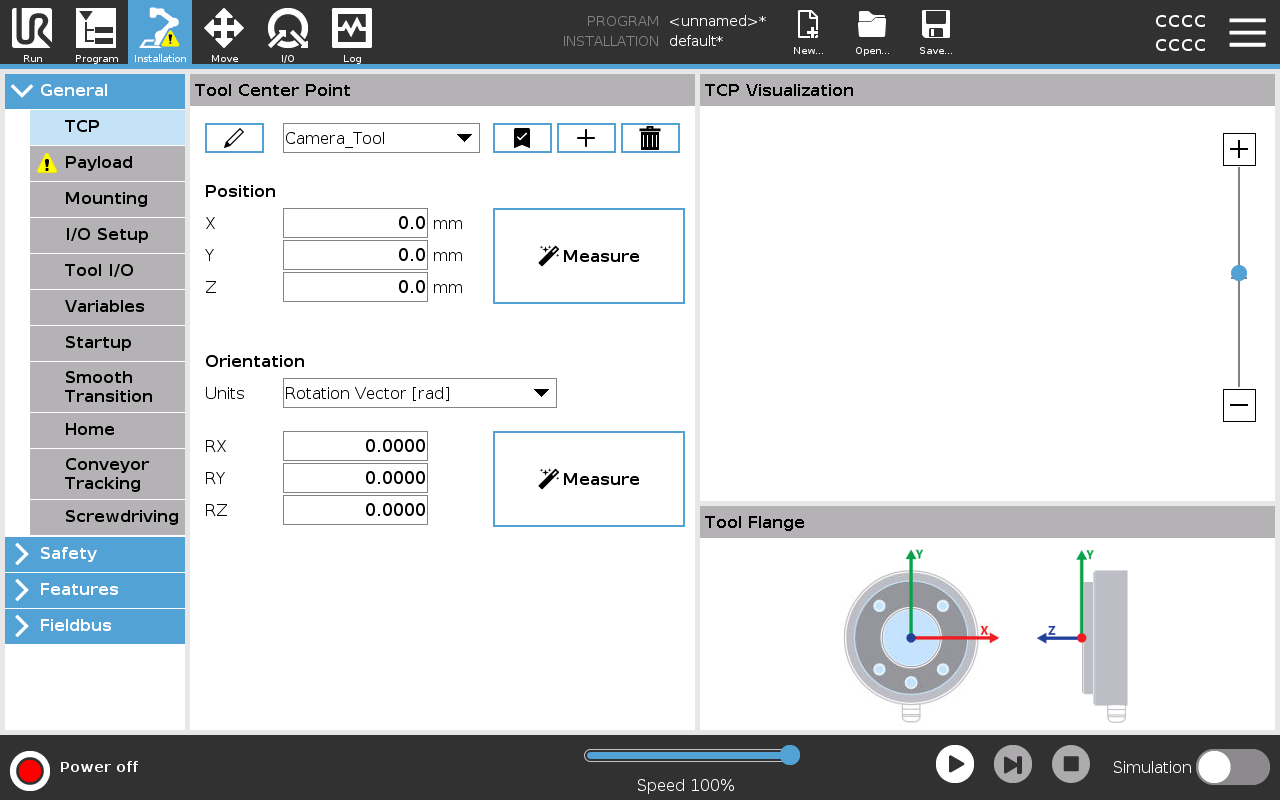
When the camera is carried by the robot, the calibration result is used to defined a new tool. This is defined in Installation → General → TCP by clicking on the plus icon and filing out the 6 fields defining the pose of the tool relative to the flange coordinate system (again, minding the required units):
Sample Program
Here is an example of a rudimentary program that triggers capture with the camera and moves into a position to pick the first detected item:
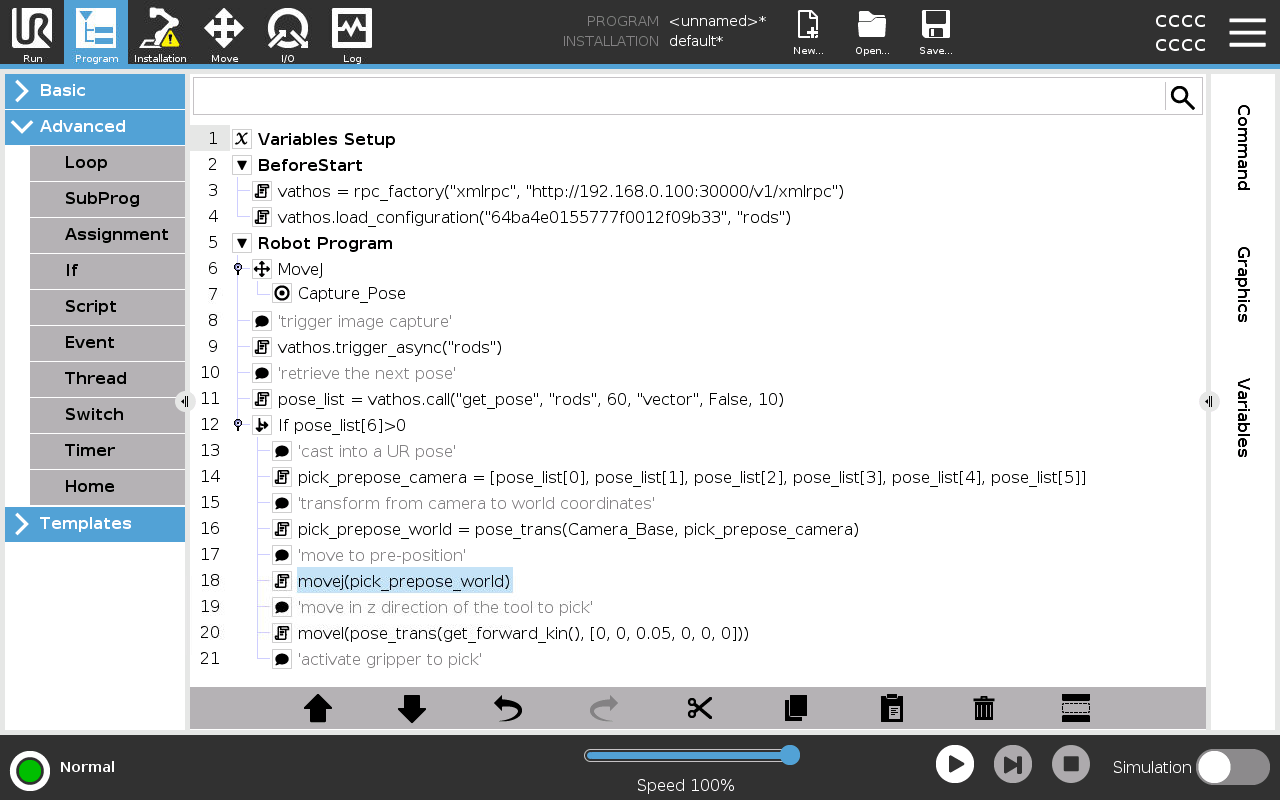
Let’s look at it in detail. In the BeforeStart section, the RPC client is initialized as described above.
vathos = rpc_factory("xmlrpc","http://192.168.0.100:30000/v1/xmlrpc")
vathos.load_configuration("64ba4e0155777f0012f09b33", "rods")
At this point, we also arm the configuration assigned to a certain product identified by its database id. Make sure to pass the workflow identifier of the inference service you wish to configure. This is necessary because in some use cases, you may want to run and arm multiple services in parallel.
After moving the robot to a position where it does not penetrate the field of view, the camera is triggered (again, providing the keyword associated with the desired service for image processing):
camera.trigger("rods", True)
While above command start image processing, it does not give an immediate result. Object poses obtained as the result of processing are put into a queue and can be retrieved one after another by calling the service-specific function get_pose:
pose_list = vathos.get_pose("vector", False, 10)
The return type is a universal list in URScript. A value of greater or equal to 0 of its 7th element indicates that a detection could be successfully retrieved. In that case, the first six elements are cast into a URScript-compatible pose type:
pick_prepose_camera = p[pose_list[0], pose_list[1], pose_list[2], pose_list[3], pose_list[4], pose_list[5]]
Poses in URScript consist of 6 numbers. The first three numbers specify the TCP location in meters. The last three numbers are the axis-angle representation of the orientation of the TCP coordinate system (indicated by the keyword "vector" as the first argument of get_pose) in radians (as indicated by the value False for the second argument of get_pose). Also see our list of common unit/rotation conventions.
This pose is given in camera coordinates. The next statement applies Camera_Base, the result of hand-eye calibration, to it via the built-int function pose_trans for pose transformations:
pick_prepose_world = pose_trans(Camera_Base, pick_prepose_camera)
Since this is a pre-position at a (configurable) distance above the actual pick position, in many cases, we need not worry about collisions and get the robot there by a point-to-point or joint motion (movej):
movej(pick_prepose_world)
Say the pre-pick distance is set to 5 cm (see the service documentation how to do that), we finally need to move linearly along the z axis of the tool by that amount to get to the grip pose defined for the current product in the frontend:
movel(pose_trans(get_forward_kin(), p[0, 0, 0.05, 0, 0, 0]))
You can download sample programs for hand-eye calibration and picking from Github.